Hermes Desktop vs ServerEngine
Hermes Desktop gives you one self-improving agent in a window of its own, pointed at any model you like. ServerEngine gives you a workspace of agents on your own Windows machine, with the approvals, the scopes and the skills already built in.
Hermes Desktop

Feature by feature
Models
Hermes Desktop
Provider-agnostic: Nous Portal, OpenRouter, Anthropic, OpenAI, Google, xAI and any OpenAI-compatible endpoint.
ServerEngine
Claude Code, Codex CLI, Grok Build, OpenRouter and local Ollama, chosen per agent.
Your existing subscription
Hermes Desktop
Signs in to Nous Portal, Codex, Copilot or Anthropic by OAuth, or takes an API key.
ServerEngine
Runs on the Claude, ChatGPT or Grok subscription you already have, or your own OpenRouter key. One provider runs dry, switch the agent to another.
Getting started
Hermes Desktop
An installer for macOS, Windows and Linux that puts the agent core and its runtime on the machine, and updates itself from inside the app.
ServerEngine
A signed app from the Microsoft Store. Nothing to install underneath it, and it updates itself.
Agent Workspace
Hermes Desktop
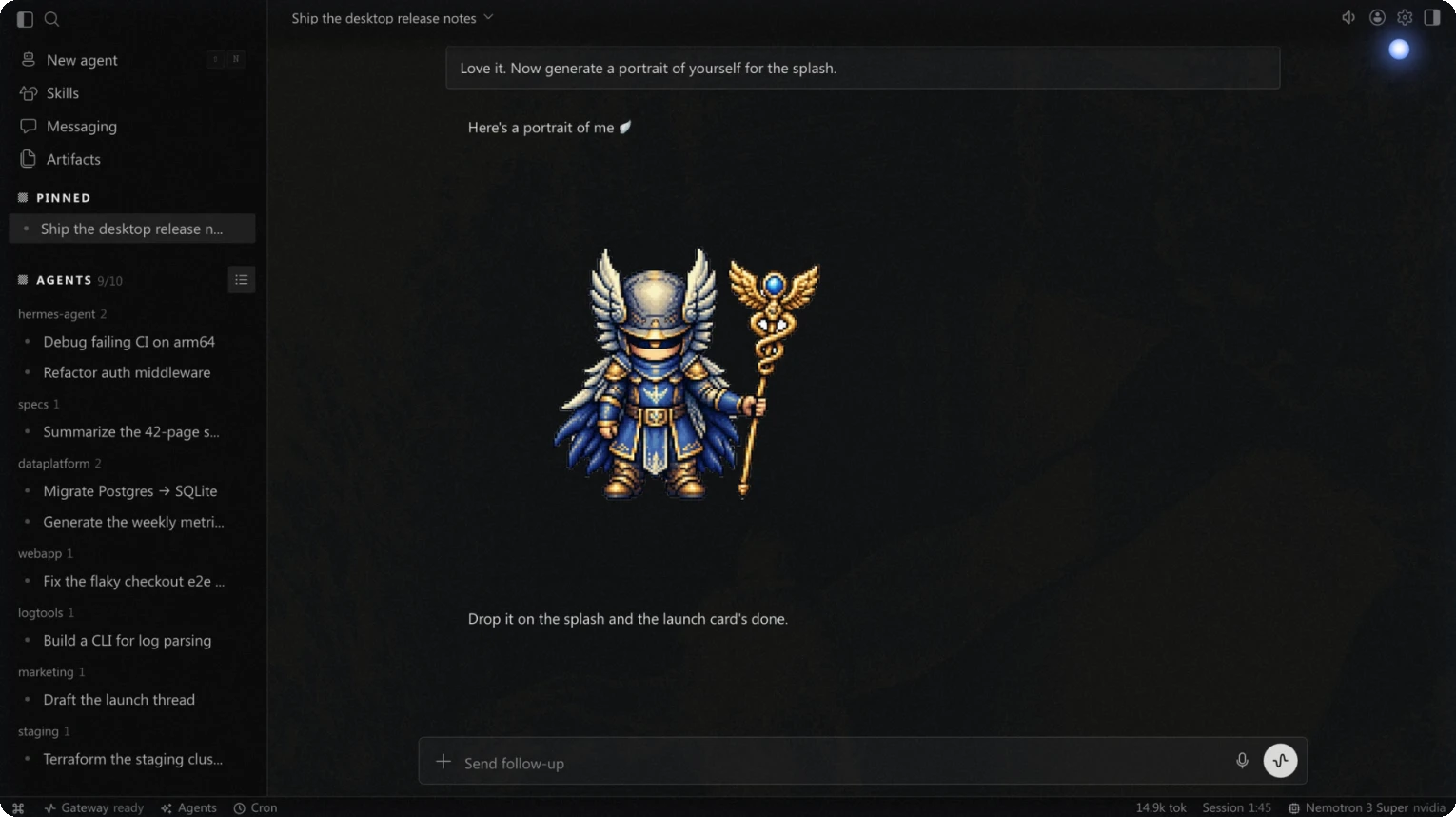
A chat-first window with a sidebar: several conversations at once, and profiles that appear as bots with their own memory and skills.
ServerEngine
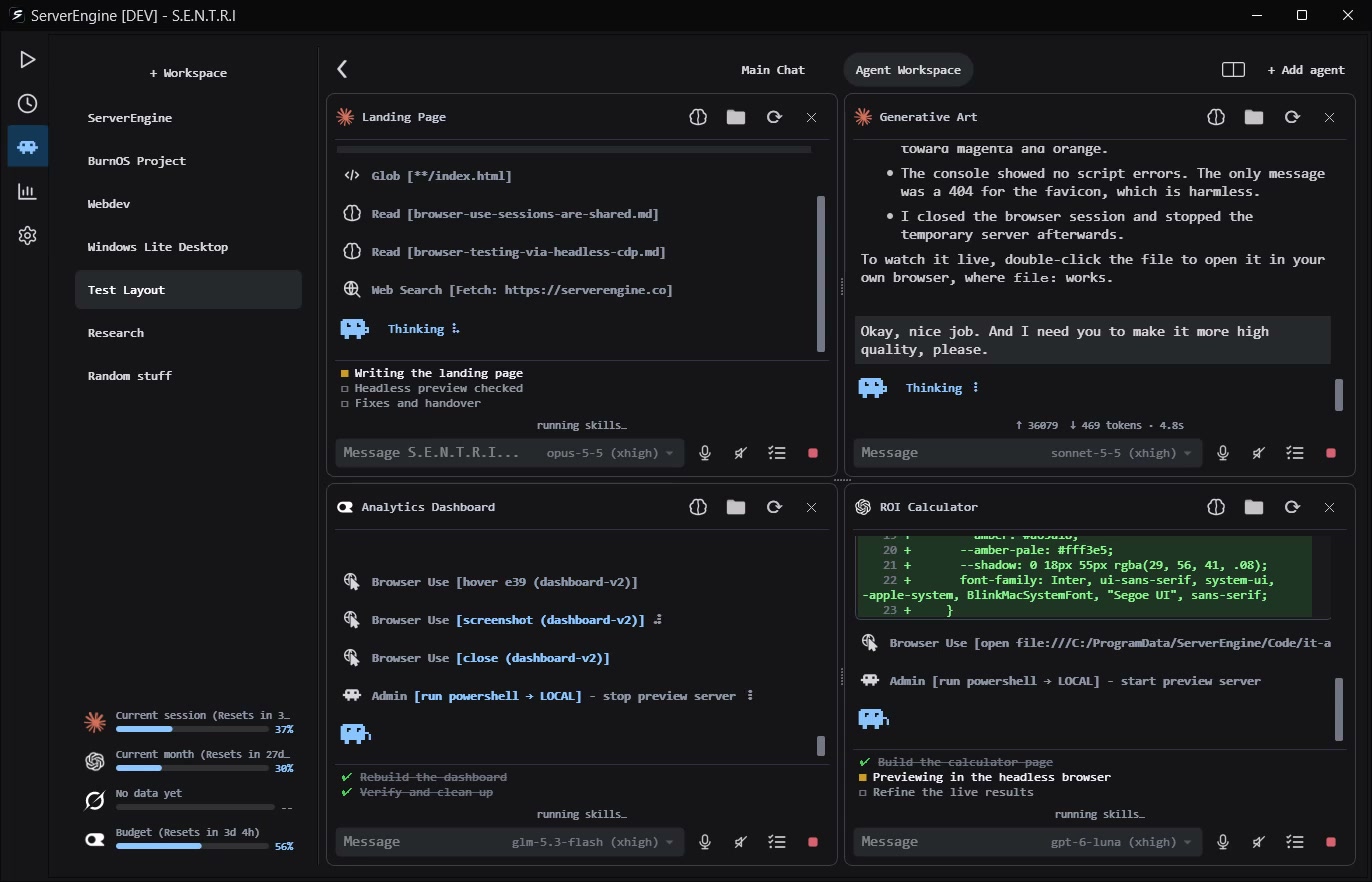
A grid of agents working side by side, each with its own task, model and folder. Every session is saved and restored on startup.
Talk or type
Hermes Desktop
Talk to it and hear it back, in the app.
ServerEngine
Speak your prompt with local speech-to-text, and hear the answer once the task is done.
Memory
Hermes Desktop
Memory that carries between sessions, skills it writes for itself, and a memory graph you can open and edit in place.
ServerEngine
One memory shared by every model, filed per work folder, growing into a neuron you can open and manage in the chat.
From your phone
Hermes Desktop
A messaging gateway for Telegram, Discord, Slack, WhatsApp, Signal and a long list of others.
ServerEngine
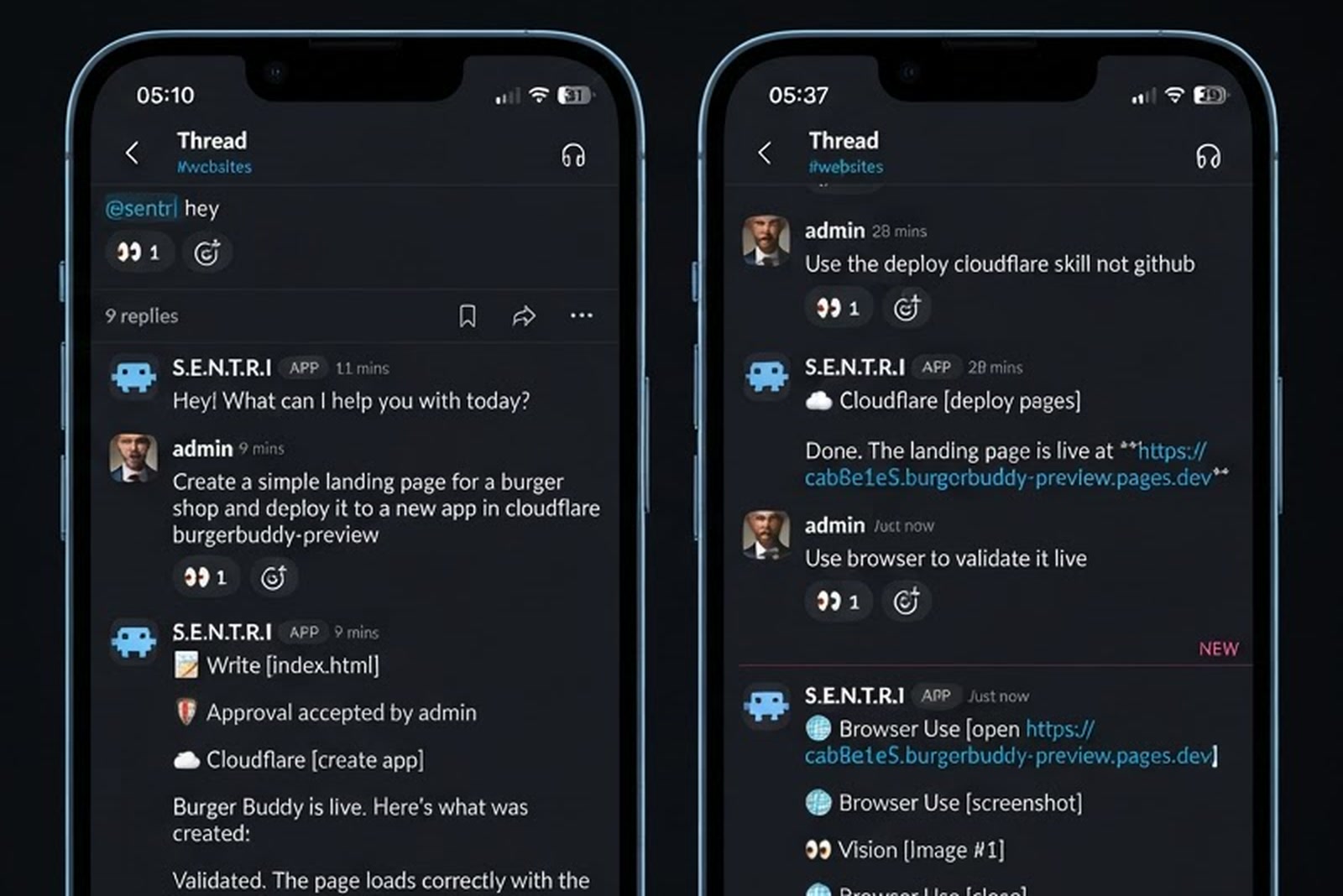
Slack and Discord reach the agents in your workspace, one channel per agent. WhatsApp reaches the main chat, approvals included.
Agents on a schedule
Hermes Desktop
Recurring routines backed by cron.
ServerEngine
Any prompt on a timetable, each with its own model, reasoning effort and allowed skills, and a live transcript while it runs.
Plans you can follow
Hermes Desktop
Tools can be set to ask before they run. A plan you approve before the work starts is not among the announced features.
ServerEngine
Plan mode proposes the work first, then ticks each step off a checklist you watch. You decide skill by skill what has to ask first.
Code editing
Hermes Desktop
File and terminal tools, with a projects view that follows the agent as it reads and writes.
ServerEngine
The fastest code editor for agents: built in pure C++, with batched calls so edits land in a fraction of the time.
Built-in skills
Hermes Desktop
An open skills catalogue, skills it writes for itself, and MCP servers.
ServerEngine
Code, browser, computer use, image generation, GitHub, Cloudflare, Stripe, Jira and more, each switched on individually.
Work on your servers
Hermes Desktop
The machine the app runs on, or a remote gateway you set up and keep running yourself.
ServerEngine
On the Commander plan the agent also works on the servers in your network or a VPS in the cloud, inside scopes you approve.
Keep it local
Hermes Desktop
Runs on your own hardware, and points at a local model if you give it one.
ServerEngine
Runs on your own Windows machine. With an Ollama model, nothing leaves your network.
The best upgrade for your AI agents
Run many agents side by side. Every session is saved and restored on startup. Switch between Workspaces and use your favorite models from Claude Code, Codex CLI, Grok Build and OpenRouter while sharing the same memory system.
- Integrates with Claude Code CLI
- Integrates with Codex CLI
 Integrates with Grok Build
- Integrates with OpenRouter API
- Integrates with Ollama App
Why type every prompt? Just talk.
Explaining a goal out loud is quicker than typing, and easier to get into detail. Speak your prompt and the agent answers back once the task is done.
Hey, I'm SENTRI. What can I help you with today?
Your agents get smarter over time
The agent learns and acts based on your conversations. Every memory is linked to a work folder. Memories grow into a neuron you can manage within the chat.
Tied to your desk? Not anymore.
Send a message from your phone. Your agents keep working while you enjoy some free time.
The fastest code editor for agents
Lightning-fast code edits. How? It's built in pure C++ and makes use of batch calls to significantly improve performance.
Plug in your integration
Bring your own model
S.E.N.T.R.I
billed monthly
The AI agent & Workspace
- S.E.N.T.R.I Agent
- Agentic Workspace
- Multi-step task planning
- Agents on a schedule
- Agent skills & approvals
- Coding agent integration
- Local speech-to-text
- Voice responses
Commander
billed monthly
S.E.N.T.R.I + Server management & API.
- Everything in S.E.N.T.R.I
- Zero-trustSecretless authentication: the agent only knows the hostname. agent access
- Agent Guardrails (ScopesScopes are approved host groups for S.E.N.T.R.I)
- Remote Manager
- Admin Console
- RESTful API access
Enterprise
Compliance-grade automation, priced to your needs.
- Everything in Commander
- Managed script automation
- Integrated script editor
- Create and save runbooks
- Signed script execution
- WinGet software deployment
- User audit logs
- Q.U.O. HR onboarding app
- Priority support
The S.E.N.T.R.I plan is free for 7 days, then cancel anytime, with a 14-day money-back guarantee.
Plans are bought inside the app: install ServerEngine, open the License tab and pick your plan.
Ready when you are.
Get ServerEngine and pick your plan inside the app.